
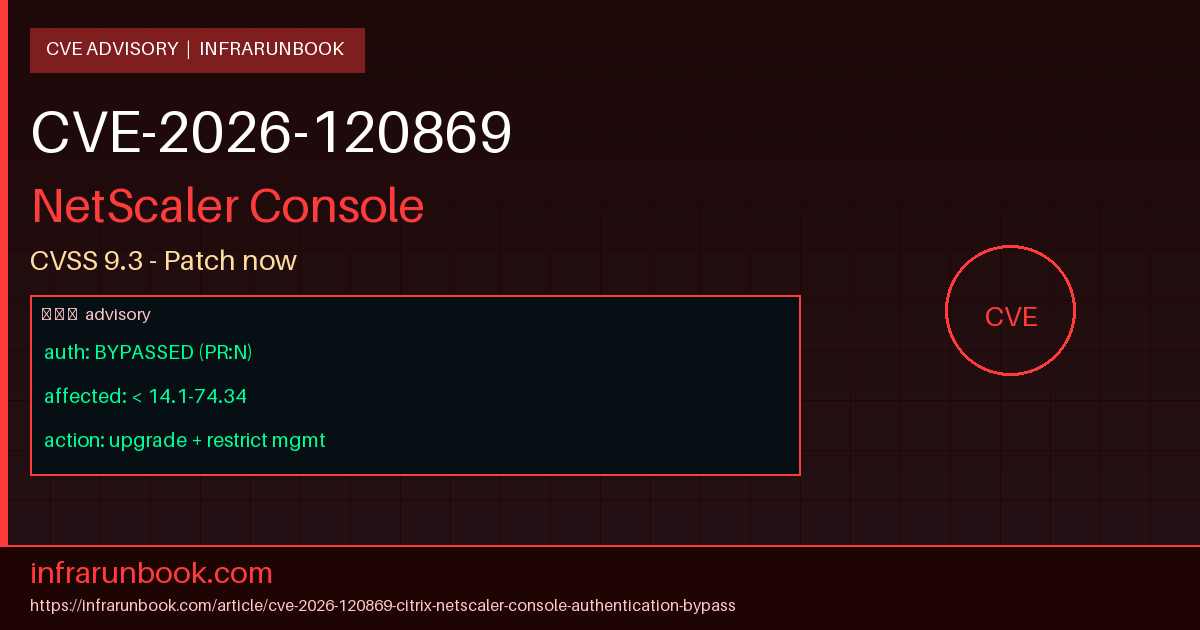
At a glance
- CVE ID: CVE-2026-120869
- Severity: CVSS 4.0 score 9.3, CRITICAL. Vector:
CVSS:4.0/AV:N/AC:L/AT:N/PR:N/UI:N/VC:H/VI:H/VA:H/SC:L/SI:L/SA:L
- Vendor / product: Citrix NetScaler Console
- Affected versions: Versions from 0 up to, but not including, 14.1-74.34 (as listed in the CVE record)
- Fixed / patched versions: The CVE record marks 14.1-74.34 as the first build outside the affected range. The record has no separate solutions entry, so confirm the exact fixed builds for your release line in CTX697320.
- Exploited in the wild: No known exploitation. It is not listed in CISA KEV at the time of publication.
- Attack vector: Network. No authentication needed. No user interaction needed.
- Published by: NetScaler (CNA), 2026-11-12
- Official advisory: Citrix CTX697320
What is this vulnerability?
CVE-2026-120869 is an authentication bypass in the Citrix NetScaler Console appliance. According to the CVE record, an unauthenticated attacker can bypass authentication controls and access restricted resources.
The record does not name a CWE. It does not say which endpoint, service or component is affected. The vendor advisory text was not available in the source material for this article. Do not assume any details beyond what is stated here. Read CTX697320 for the vendor's full technical scope.
The CVSS 4.0 vector tells us a lot about the risk:
- AV:N - the attack works over the network.
- AC:L / AT:N - low complexity, with no special conditions required on the target.
- PR:N - no credentials needed.
- UI:N - no admin has to click or do anything.
- VC:H / VI:H / VA:H - high impact to confidentiality, integrity and availability of the Console itself.
- SC:L / SI:L / SA:L - low impact on other (subsequent) systems.
How does it affect you?
NetScaler Console is a management appliance. Management planes are high-value targets. An attacker who gets past authentication on a management system can see and change things that normal users cannot.
Based on the CVSS vector, a successful attacker could read sensitive data on the Console, change data or configuration on it, and disrupt its availability. The vector also scores a low impact on other systems. In practice, treat the Console as a possible pivot point toward whatever it connects to or manages.
Realistic risk depends on exposure:
- Console reachable from the internet: highest risk. Patch immediately and restrict access now.
- Console reachable from broad internal networks: high risk. Any compromised internal host or insider could use this flaw.
- Console on an isolated management network with strict ACLs: lower risk, but still patch quickly. Isolation reduces who can reach it; it does not fix the flaw.
There is no known exploitation at the time of writing. That can change fast for critical, unauthenticated bugs in network appliances. Do not wait for a KEV listing to act.
Who is affected?
You are affected if you run Citrix NetScaler Console at a version below 14.1-74.34, as listed in the CVE record. The record's default status is "unaffected", so products not listed are not in scope of this CVE.
The record lists a single range: from version 0 up to 14.1-74.34. It does not break this down by release line. If you run a different release line, check CTX697320 to confirm whether your build is affected and which fixed build applies to you.
This CVE is about NetScaler Console. The record does not list other NetScaler products. Check the vendor advisory for the authoritative product list.
How to check if you are vulnerable
- Find every Console instance. Include production, DR, lab and any forgotten test appliances. Check your asset inventory, hypervisor and cloud consoles.
- Find the running version. Log in to the NetScaler Console web interface and check the version and build shown in the system or about information. Note the full build string, for example in the form 14.1-xx.yy.
- Compare against the affected range. If the build is lower than 14.1-74.34, treat it as vulnerable. If you are on a different release line, confirm against CTX697320.
- Check exposure. Find out which networks can reach the Console's management interfaces. Review firewall rules, NAT, load balancer publishing and cloud security groups. Run an external scan of your own address space to confirm the Console is not reachable from the internet.
Record your findings in a simple table:
Hostname | Mgmt IP | Version/build | Internet-exposed? | Patched?
console-01 | 10.x.x.x | 14.1-xx.yy | No | Pending
How to fix and recover
- Read CTX697320. Confirm the fixed build for your release line and any upgrade prerequisites.
- Back up first. Take a configuration backup and, if virtualised, a snapshot before upgrading.
- Upgrade. Move to 14.1-74.34 or the later fixed build the vendor specifies for your release line. Follow the vendor's documented upgrade procedure for the Console. Patch internet-exposed and broadly reachable instances first.
- Verify. After the upgrade, confirm in the web interface that the build matches the fixed version. Check that the Console is healthy and that its normal management functions work.
If the Console was reachable by untrusted networks before patching, assume compromise is possible and do the following:
- Rotate credentials. Change all local admin passwords on the Console. Rotate any credentials, API keys, service accounts or certificates stored on or used by the Console, including those used to connect to managed systems.
- Review logs. Look for access to restricted resources from unexpected sources, new or changed user accounts, and configuration changes no one on your team made.
- Restore known-good config. Compare the current configuration with a backup taken before the CVE was published. Revert unexplained changes. If you find clear signs of compromise, consider rebuilding the appliance from a clean image and restoring a trusted configuration.
- Check downstream systems. Review configuration and admin activity on systems the Console manages, since the CVSS vector notes impact on subsequent systems.
Workarounds and mitigations
The CVE record lists no official workarounds. Patching is the fix. Until you can patch, reduce exposure:
- Remove internet exposure. The Console management interface should never be reachable from the internet.
- Restrict access by source. Allow management access only from a dedicated admin network, jump host or VPN. Block everything else at the firewall.
- Segment the management plane. Keep the Console on an isolated management VLAN or subnet.
- Increase logging. Forward Console logs and firewall logs for the management network to your SIEM so you can spot abuse.
These steps reduce who can reach the flaw. They do not remove it.
What to monitor
- Connections to Console management interfaces from IP addresses outside your admin ranges.
- Access to restricted pages or resources without a matching successful login.
- New admin accounts, role changes or password changes you did not approve.
- Configuration changes on the Console or on systems it manages, outside change windows.
- Unexpected outbound connections from the Console appliance.
- Updates to CTX697320 and to the CISA KEV catalog for this CVE ID. If exploitation is reported, raise the priority of any remaining unpatched systems.