
At a glance
- CVE ID: CVE-2026-123039
- Severity: CVSS 3.1 score 7.8 (HIGH). Vector: CVSS:3.1/AV:L/AC:L/PR:L/UI:N/S:U/C:H/I:H/A:H
- Vendor / product: Check Point Quantum Security Gateway and Quantum Security Management (Gaia OS DynamicCLI daemon)
- Affected versions: R81.20 with Jumbo Hotfix Take 173 or below. R82 with Jumbo Hotfix Take 130 or below. R82.10 with Jumbo Hotfix Take 50 or below. R82.20 with Jumbo Hotfix Take 10 or below. These apply to both products.
- Fixed / patched versions: Not stated in the advisory - check the vendor page
- Exploited in the wild: Yes - listed in CISA KEV
- Attack vector: Local. The attacker needs a low-privileged authenticated account on the system. No user interaction is needed. It cannot be exploited directly over the network without a local foothold.
- Published by: Check Point (CNA), published 2026-11-12, updated 2026-11-13
- Official advisory: Check Point sk1000362
What is this vulnerability?
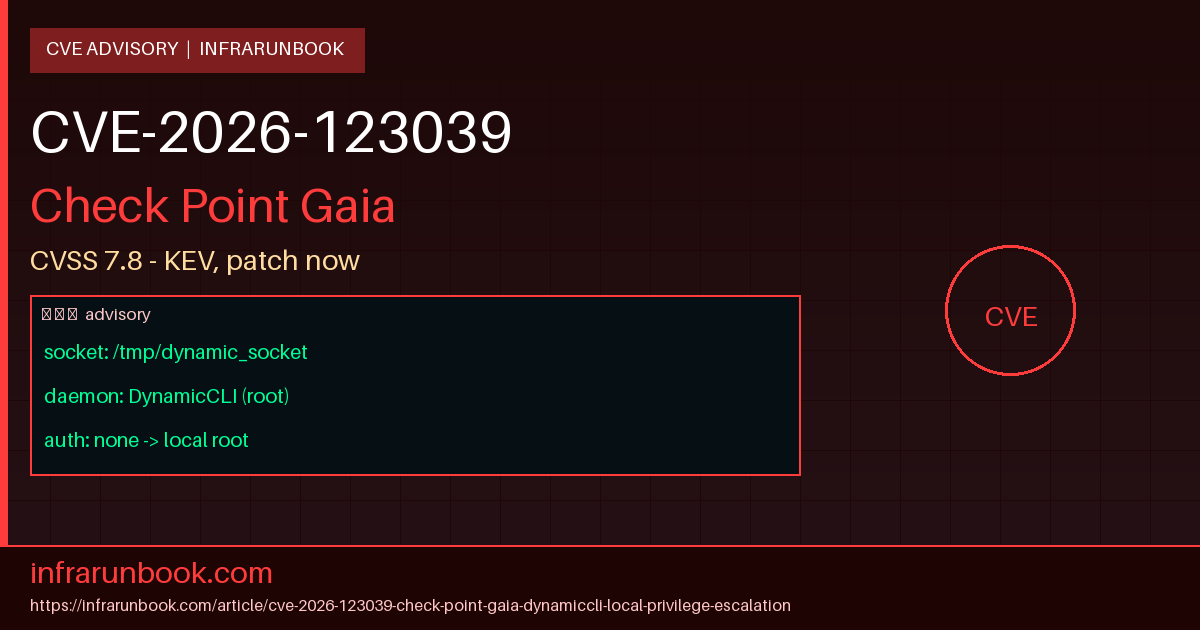
Gaia OS ships a daemon called DynamicCLI. The daemon runs as root and accepts commands on a local control socket at
/tmp/dynamic_socket.
That socket has two problems. First, it is world-writable, so any local user can connect to it. Second, the daemon does not check who is connecting. It runs whatever command it receives, and it runs that command as root.
The result is a straight local privilege escalation. A user who can log in to the box with a low-privileged account can execute commands as root.
The CVE record maps this to two weaknesses:
- CWE-862 (Missing Authorization): the daemon does not authorize callers before acting on their requests.
- CWE-732 (Incorrect Permission Assignment for Critical Resource): a root-owned control channel is writable by everyone.
How does it affect you?
Root on a security gateway or management server means full control of that system. The CVSS vector shows high impact on confidentiality, integrity and availability.
In practical terms, an attacker with root can:
- Read or change security policy, NAT rules and VPN configuration.
- Read stored secrets such as certificates, keys and administrator credentials on the box.
- Install persistence that survives normal administration.
- Use the gateway as a pivot point into the networks it protects.
- Disable logging or tamper with logs to hide activity.
On a Security Management server the impact grows. That server pushes policy to every gateway it manages, so root there can affect the whole estate.
The 7.8 score reflects the need for local access. Do not treat that as low risk. Check Point devices often carry several local accounts: administrators, monitoring users, scripted backup accounts and integrations. Any one of them is enough. This flaw is also a natural second stage. An attacker who gets a limited shell through stolen credentials or another bug can use it to reach root. CISA lists it in the Known Exploited Vulnerabilities catalog, so attackers are already using it. Treat it as urgent.
Who is affected?
The advisory lists these products:
- Check Point Quantum Security Gateway
- Check Point Quantum Security Management
The affected versions are the same for both:
- R81.20 with Jumbo Hotfix Take 173 or below
- R82 with Jumbo Hotfix Take 130 or below
- R82.10 with Jumbo Hotfix Take 50 or below
- R82.20 with Jumbo Hotfix Take 10 or below
The record does not cover other versions, other products or platform-specific scope. If you run a release that is not listed, check sk1000362 to confirm your status. Do not assume you are safe.
Your risk is highest when:
- Several people or service accounts have shell or Expert-mode access.
- SSH or other management interfaces can be reached from broad internal networks or the internet.
- Local account passwords are shared, reused or not rotated.
How to check if you are vulnerable
Step 1: Find out which major version and Jumbo Hotfix Take each gateway and management server is running. In Expert mode, run:
fw ver
cpinfo -y all
fw vershows the major version.
cpinfo -y alllists installed hotfixes, including the Jumbo Hotfix Accumulator Take. In Gaia Clish you can also run:
show version allStep 2: Compare the result against the affected list above. For example, R81.20 at Take 173 or lower is affected. If you are at or below the listed Take for your version, treat the system as vulnerable.
Step 3: Optionally, confirm that the socket exists and check its permissions:
ls -l /tmp/dynamic_socketA world-writable socket on an affected version confirms the exposure. Do not rely on this check alone. Version and Take are the authoritative test.
Step 4: List every account that can log in to the device. Each one is a possible path to root until you patch.
How to fix and recover
Patch. The CVE record does not name a fixed Take. Fixed versions: Not stated in the advisory - check the vendor page. Go to sk1000362 to find the Jumbo Hotfix Take or hotfix that fixes your release. Install it with your normal Check Point process, such as CPUSE.
Order of work:
- Patch Security Management servers first. They have the widest reach.
- Patch gateways next. Start with internet-facing gateways and those with the most local accounts.
- For clusters, follow Check Point's normal cluster upgrade procedure to keep traffic flowing.
Verify after patching. Run
cpinfo -y allagain. Confirm the installed Take matches or exceeds the one named in sk1000362. Confirm the system rebooted if the install needed it.
Assume compromise is possible. The flaw is exploited in the wild. Patching closes the hole but does not remove anything an attacker already left behind. If an untrusted or compromised account had local access to an affected system:
- Rotate passwords for all local and administrator accounts on the device.
- Rotate SSH keys and any API or integration credentials stored on the box.
- Review VPN certificates and pre-shared keys. Replace them if the box may have been compromised.
- Review authentication, shell and system logs for unexpected logins and unusual root activity.
- Compare the current policy and Gaia configuration against a known-good backup. Look for new users, scheduled jobs, startup scripts and changed rules.
- If you find signs of tampering, rebuild from a clean image and restore a known-good configuration. Engage Check Point support and your incident response process.
Workarounds and mitigations
The CVE record lists no official workarounds. Patching is the fix. Until you can patch, shrink the set of people who can get a local session:
- Remove or disable local accounts you do not need.
- Restrict shell and Expert-mode access to named administrators only.
- Limit SSH and other management access to a dedicated management network or jump hosts.
- Enforce strong, unique passwords and MFA on management access where you can.
- Rotate credentials for shared or service accounts.
Do not change the socket's permissions or stop the DynamicCLI daemon unless Check Point tells you to. Doing so may break Gaia management functions, and it is not a documented mitigation.
What to monitor
- Logins to gateways and management servers from unexpected source IPs, at odd hours, or by accounts that rarely log in.
- Low-privileged accounts that start acting as root, or root activity that does not match an admin change ticket.
- New local users, changed sudo or role settings, and new cron jobs or startup scripts.
- Policy installs or configuration changes that nobody in change management can account for.
- Gaps in logs, or logs forwarded to your SIEM stopping without warning.
- Outbound connections from the gateway or management server to unfamiliar destinations.
Forward Gaia system and authentication logs off the box. An attacker with root can edit local logs.