
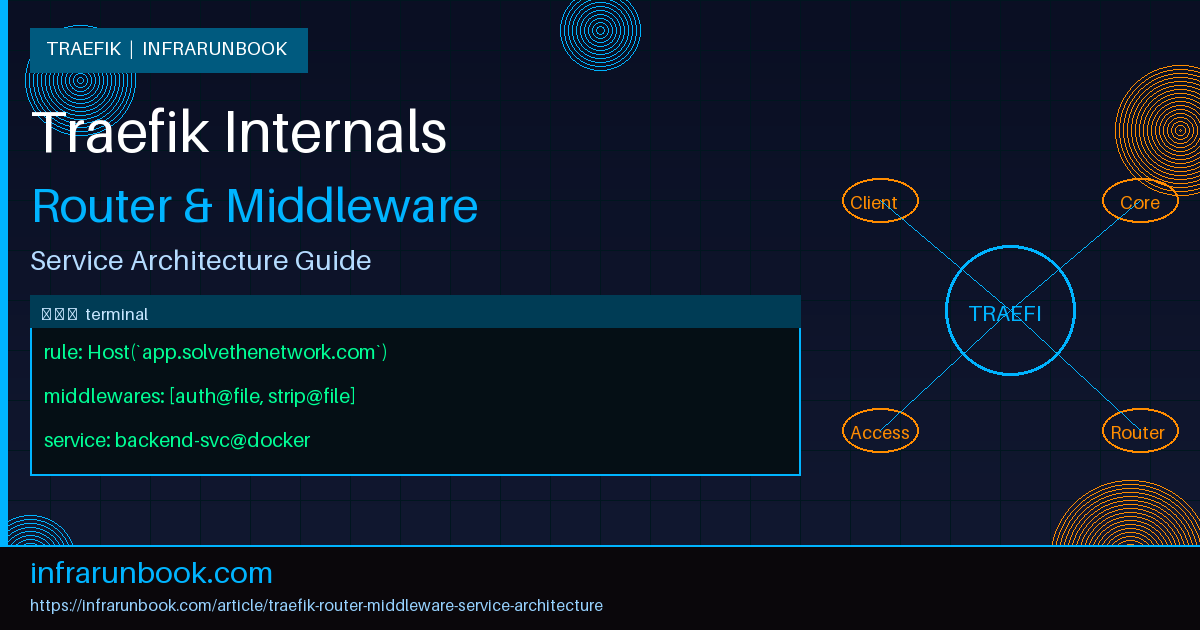
Understanding the Three-Layer Pipeline
Traefik is not just a reverse proxy. It's a dynamic edge router built around a very deliberate internal model: every request that enters Traefik passes through three distinct conceptual layers — a router, zero or more middlewares, and a service. If you've ever copy-pasted a Traefik config from a blog post and hit a wall trying to debug it, chances are you didn't fully understand which layer was responsible for what. I've been there. Once the model clicks, everything else becomes much easier to reason about.
This article walks through the architecture in depth: what each layer does, how they connect, and how to build production-grade configurations that are actually maintainable.
Entrypoints: Where Traffic First Arrives
Before we even get to routers, traffic hits an entrypoint. Entrypoints are the raw TCP ports Traefik listens on. They're static — you define them in the main Traefik configuration file and they don't change at runtime. Think of them as the front door of the building. They don't care about hostnames or paths. They just accept connections.
# traefik.yml (static config)
entryPoints:
  web:
    address: ":80"
  websecure:
    address: ":443"
  metrics:
    address: ":8082"
Nothing routes traffic yet. That's the router's job. Entrypoints simply tell Traefik where to listen. In my experience, a lot of confusion starts here because people conflate entrypoints with routers. An entrypoint is just a port binding. The routing logic lives elsewhere.
Routers: The Decision Layer
A router is the component that inspects an incoming request and decides what to do with it. Every router is tied to at least one entrypoint, has a rule that determines whether it matches a request, and then forwards that request to either a middleware chain or directly to a service.
The matching rule is where Traefik's power really shows up. You can match on Host headers, path prefixes, HTTP methods, headers, query parameters — and you can combine them with logical operators. The rule language is expressive enough to handle nearly any routing requirement without external scripting.
# dynamic config (e.g., file provider: routes.yml)
http:
  routers:
    api-router:
      entryPoints:
        - websecure
      rule: "Host(`api.solvethenetwork.com`) && PathPrefix(`/v2`)"
      priority: 10
      middlewares:
        - rate-limit
        - jwt-auth
      service: api-backend
      tls:
        certResolver: letsencrypt

    dashboard-router:
      entryPoints:
        - websecure
      rule: "Host(`dash.solvethenetwork.com`)"
      middlewares:
        - basic-auth
      service: grafana-svc
      tls:
        certResolver: letsencrypt
A few things worth calling out here. First, the
priorityfield. When two routers could both match the same request, Traefik picks the one with the higher priority number. If you don't set priorities explicitly, Traefik calculates one from the rule's specificity — longer, more specific rules get higher automatic priority. Don't rely on this behavior silently. In any non-trivial setup, set priorities explicitly on routers that might overlap. I've seen production outages caused by a catch-all router silently winning over a more specific one because someone assumed Traefik would always pick the more specific path.
Second, TLS is configured on the router, not the entrypoint. This gives you per-hostname TLS options, which is exactly what you want in a multi-tenant setup.
Middlewares: The Transformation Layer
Middlewares sit between the router and the service. They can modify requests, modify responses, short-circuit the request entirely, add headers, strip path prefixes, enforce authentication, apply rate limits, or redirect traffic. They're composable — you attach a list of them to a router, and they execute in order.
The order matters. A lot. If you put a
stripPrefixmiddleware before an authentication middleware, the auth check still sees the stripped path. If you put it after, auth runs against the original path. This is the kind of thing that causes silent bugs that only show up in edge cases.
http:
  middlewares:
    strip-api-prefix:
      stripPrefix:
        prefixes:
          - "/v2"

    rate-limit:
      rateLimit:
        average: 100
        burst: 50

    jwt-auth:
      forwardAuth:
        address: "http://10.10.1.45:9091/auth/verify"
        authResponseHeaders:
          - "X-Auth-User"
          - "X-Auth-Roles"

    secure-headers:
      headers:
        stsSeconds: 31536000
        stsIncludeSubdomains: true
        contentTypeNosniff: true
        browserXssFilter: true
        referrerPolicy: "strict-origin-when-cross-origin"

    basic-auth:
      basicAuth:
        users:
          - "infrarunbook-admin:$apr1$xyz...hashedpassword"
        realm: "Restricted Area"
The
forwardAuthmiddleware deserves special attention because it's widely used and frequently misconfigured. When you attach
forwardAuthto a router, Traefik makes a separate HTTP request to your auth service with the original request's headers. If the auth service responds with a 2xx, the original request proceeds. Anything else, and Traefik returns the auth service's response directly to the client. The auth service's response headers listed in
authResponseHeadersare forwarded to your backend, which is how you pass identity context downstream.
What I've seen bite people: the
addressin
forwardAuthneeds to be reachable from Traefik itself, not from the client. If your auth service is on an internal Docker network and Traefik is on a different network, that call will fail silently and every request will be rejected. Always test this connectivity explicitly when setting up
forwardAuthfor the first time.
Middlewares are defined independently and then referenced by name in routers. This is intentional — you define a middleware once and reuse it across multiple routers. This is the correct pattern. Don't inline the same middleware configuration into every router that needs it.
Services: The Destination Layer
Once a request has passed through the router match and the middleware chain, it reaches a service. A service defines where the actual traffic goes. In the HTTP world, services are load balancers over one or more backend servers.
http:
  services:
    api-backend:
      loadBalancer:
        servers:
          - url: "http://10.10.1.11:8080"
          - url: "http://10.10.1.12:8080"
        healthCheck:
          path: "/health"
          interval: "10s"
          timeout: "3s"
        sticky:
          cookie:
            name: "TRAEFIK_BACKEND"
            secure: true
            httpOnly: true

    grafana-svc:
      loadBalancer:
        servers:
          - url: "http://10.10.1.20:3000"
        passHostHeader: true
The load balancer here is a weighted round-robin by default. You can assign weights to individual servers if you need asymmetric traffic distribution — useful when rolling out new instances with different capacity profiles. The health check is configured per-service and Traefik will automatically remove unhealthy backends from rotation and re-add them when they recover.
passHostHeader: trueis worth noting. By default, Traefik sends the original
Hostheader from the client's request to the backend. Some backends — particularly Grafana — need to receive their own hostname, not the client's. In other cases you want the exact opposite. Know your backend's expectations.
Traefik also supports mirroring services, which is a genuinely useful feature for testing. You can configure a service to send a copy of all traffic to a shadow backend without affecting the primary response path. This is great for dark-launching a new service version against real production traffic.
http:
  services:
    mirrored-api:
      mirroring:
        service: api-backend
        mirrors:
          - name: api-backend-v2
            percent: 20

    api-backend-v2:
      loadBalancer:
        servers:
          - url: "http://10.10.1.13:8080"
Providers: Where Configuration Comes From
Traefik's dynamic configuration — routers, middlewares, and services — doesn't have to live in static YAML files. That's just one provider. Traefik supports multiple providers simultaneously: Docker, Kubernetes, Consul, file-based, and more. With Docker, Traefik reads labels on containers and builds its routing table dynamically. With file-based configuration, it watches a directory for changes and hot-reloads without a restart.
# Docker label example on a container
labels:
  - "traefik.enable=true"
  - "traefik.http.routers.webapp.rule=Host(`app.solvethenetwork.com`)"
  - "traefik.http.routers.webapp.entrypoints=websecure"
  - "traefik.http.routers.webapp.tls.certresolver=letsencrypt"
  - "traefik.http.routers.webapp.middlewares=secure-headers@file,rate-limit@file"
  - "traefik.http.services.webapp.loadbalancer.server.port=8080"
The
@filesuffix in
secure-headers@fileis Traefik's provider scoping syntax. It means: use the middleware named
secure-headersthat's defined in the file provider. Without the suffix, Traefik assumes the middleware is in the same provider as the router. This is how you mix Docker-defined routers with file-defined middlewares, which is a very common and practical pattern — let Docker manage service discovery, but keep your shared middleware definitions in version-controlled files.
TCP and UDP Routing
Everything above applies to HTTP routing. But Traefik also handles TCP and UDP at the same abstraction level. TCP routers can match on SNI (the TLS server name), which lets you do TLS passthrough routing based on hostname without Traefik terminating the TLS connection itself.
tcp:
  routers:
    postgres-router:
      entryPoints:
        - postgres
      rule: "HostSNI(`db.solvethenetwork.com`)"
      service: postgres-backend
      tls:
        passthrough: true

  services:
    postgres-backend:
      loadBalancer:
        servers:
          - address: "10.10.1.30:5432"
This pattern is particularly useful when you're running database clusters or other TCP services behind Traefik without wanting to manage their TLS certificates at the edge. The client's TLS negotiation goes directly to the backend. Traefik just reads the SNI to decide where to send it.
Real-World Architecture: Putting It Together
Let me walk through how this all looks on a real host. On
sw-infrarunbook-01, we're running Traefik in Docker alongside a set of application containers. The static config lives at
/etc/traefik/traefik.ymland the dynamic config lives at
/etc/traefik/conf.d/. Docker labels handle service-specific routing.
# /etc/traefik/traefik.yml
api:
  dashboard: true
  insecure: false

entryPoints:
  web:
    address: ":80"
    http:
      redirections:
        entryPoint:
          to: websecure
          scheme: https
          permanent: true
  websecure:
    address: ":443"

certificatesResolvers:
  letsencrypt:
    acme:
      email: infrarunbook-admin@solvethenetwork.com
      storage: /letsencrypt/acme.json
      httpChallenge:
        entryPoint: web

providers:
  docker:
    endpoint: "unix:///var/run/docker.sock"
    exposedByDefault: false
    network: traefik-proxy
  file:
    directory: /etc/traefik/conf.d
    watch: true

log:
  level: INFO

accessLog:
  filePath: /var/log/traefik/access.log
  bufferingSize: 100
The redirect from HTTP to HTTPS is configured at the entrypoint level here, which applies globally. If you need per-router redirects, you can use the
redirectSchememiddleware instead. I prefer the entrypoint-level redirect for most setups — it's one place to maintain, and it's immediately obvious what's happening.
Common Misconceptions
"Middleware order in the list doesn't matter." It absolutely does. Traefik executes middlewares in the order they're listed on the router. Authentication before rate limiting means unauthenticated requests still count against rate limits. Authentication after rate limiting means someone can exhaust your rate limit before you even check their credentials. Think carefully about the semantic order you want.
"A service with one server doesn't need a health check." It does, actually. Without a health check, Traefik will keep routing to a backend that's returning 500s or not responding at all. The load balancer needs a health check to know when to stop sending traffic, even if there's only one server in the pool.
"You can use the same router name in Docker labels and file config." You can't — at least not without conflicts. Router names are scoped to their provider, but if you accidentally use the same name across providers, you'll get unpredictable behavior. Use distinct, descriptive names and always be aware of which provider owns which configuration.
"Traefik automatically retries failed requests." Not by default. You need to explicitly configure a retry middleware if you want request retries. And when you do, be careful: retrying non-idempotent requests (like POST) can cause duplicate side effects. Limit retries to GET and HEAD, or use it only in contexts where your backends are idempotent.
http:
  middlewares:
    safe-retry:
      retry:
        attempts: 3
        initialInterval: "100ms"
"TLS termination is automatic once you add a certResolver." Traefik won't generate a certificate unless there's a router that references the resolver and has a TLS block. The resolver just defines how certificates are obtained. The router's TLS configuration is what triggers the certificate request. I've seen people define a certResolver in the static config and then wonder why no certificates are being issued — they never attached it to a router.
Debugging the Pipeline
When something isn't routing correctly, the fastest way to diagnose it is Traefik's built-in dashboard. Enable it on a restricted entrypoint, protect it with
basicAuth, and you get a live view of all routers, middlewares, and services along with their current state and any errors.
Beyond the dashboard, bump the log level to
DEBUGtemporarily. Traefik logs which router matched a request, which middlewares were applied, and which backend it forwarded to. It's verbose but invaluable when something's silently failing. Just don't leave DEBUG logging on in production — the volume will overwhelm your log aggregator.
The access log is also worth enabling. At
INFOlevel it records every request with the router name, service name, and response time. When you're chasing a latency issue or trying to figure out which router a request matched, the access log is faster than reading application logs.
Traefik's architecture rewards clarity. Keep your entrypoints simple, write explicit router rules with priorities, define reusable middlewares in files, and let your service definitions focus on load balancing. The three-layer model isn't just organizational — it's the mental model that makes debugging fast and configuration changes safe.