
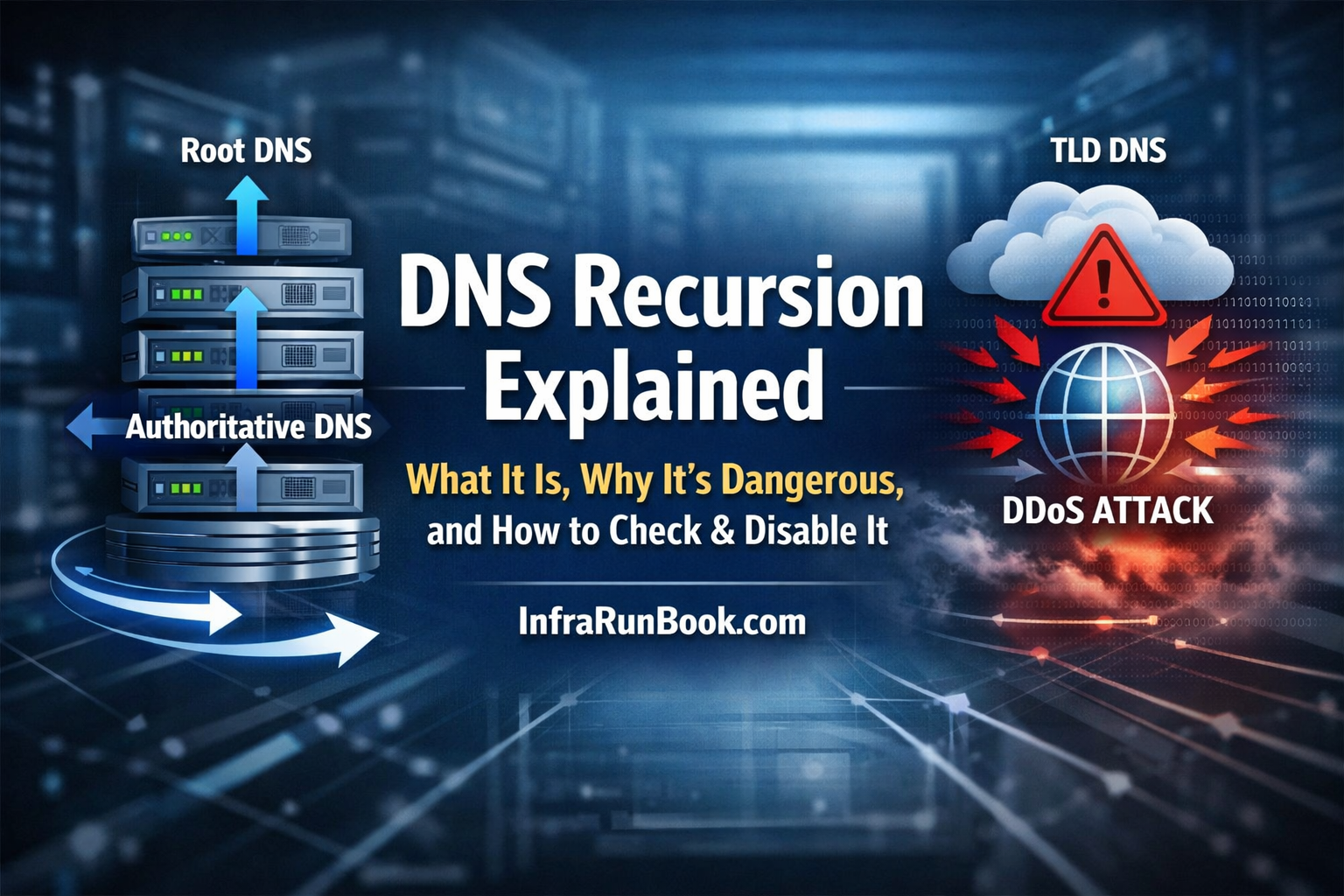
What is DNS Recursion?
DNS recursion allows a DNS server to fully resolve a domain name on behalf of the client by querying:
- Root DNS
- TLD servers
- Authoritative DNS
This is useful only for trusted internal clients.
Why DNS Recursion Is Dangerous
If enabled on a public DNS server, it can lead to:
1️⃣ DNS Amplification DDoS
Small spoofed queries → very large responses → massive traffic floods.
2️⃣ High CPU & Memory Usage
Attackers can exhaust server resources using recursive lookups.
3️⃣ Information Leakage
Cached internal queries and DNS structure may be exposed.
4️⃣ IP Blacklisting
Open recursive resolvers are routinely scanned and blacklisted.
Any public DNS server with recursion enabled is a liability.
🔍 How to Check If DNS Recursion Is Enabled (Using nslookup
)
✅ Method: Using nslookup
Run from any external system (important):
nslookupSet the DNS server you want to test:
server <DNS_SERVER_IP>Now query a domain not hosted by that DNS server:
google.com📌 Result Interpretation
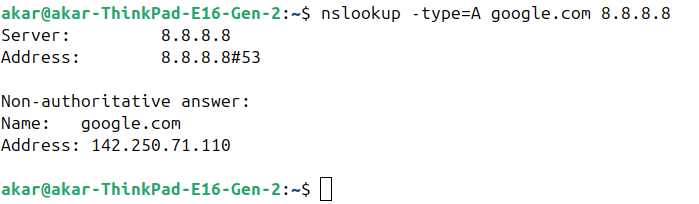
- If you get an IP address → ❌ Recursion is ENABLED
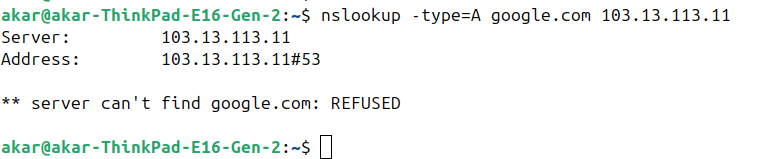
- If you get an error like below → ✅ Recursion is DISABLED
Expected safe response:
*** server can't find google.com: REFUSEDor
Query refused🔎 Advanced Check (Explicitly Request Recursion)
nslookup -type=A google.com <DNS_SERVER_IP>If it resolves → recursion is active
If refused → recursion is disabled or restricted
🛑 How to Disable DNS Recursion
Windows Server (Microsoft DNS)
🔹 Disable Recursion via GUI
- Open DNS Manager
- Right-click the DNS server → Properties
- Go to Advanced tab
- ❌ Uncheck Enable recursion
- Click OK
✅ Recursion is now disabled.
🔹 Disable Recursion via PowerShell
Set-DnsServerRecursion -Enable $falseVerify:
Get-DnsServerRecursionExpected output:
Enable : False🔹 Restrict Recursion (Recommended for Internal DNS)
Instead of fully disabling, restrict recursion:
- DNS Manager → Server Properties
- Advanced tab → Enable recursion
- Interfaces tab → Bind only internal IPs
- Use Windows Firewall to allow DNS only from LAN/VPN
🐧 Linux DNS Servers
🔹 BIND
Disable recursion:
options {
    recursion no;
};
Restrict recursion:
options {
    recursion yes;
    allow-recursion { 127.0.0.1; 10.0.0.0/8; };
};
🔹 Unbound
Disable recursion:
server:
    do-recursion: no
Restrict:
access-control: 10.0.0.0/8 allow
access-control: 0.0.0.0/0 refuse
🔹 PowerDNS (Authoritative)
recursor=noPowerDNS strongly recommends separate authoritative and recursive servers.
✅ Best Practices (Strongly Recommended)
✔ Never expose recursive DNS to the internet
✔ Separate authoritative and recursive DNS roles
✔ Restrict port 53 TCP/UDP using firewall rules
✔ Regularly test recursion using
nslookup
✔ Monitor DNS query rate & unusual spikes
Final Rule (Remember This)
If your DNS server is public → recursion must be OFF.